

Free AI Literature Search
Search by topic, research question, paper title or DOI. Free access is subject to current usage limits; additional allowances depend on your plan.
- Search academic publications
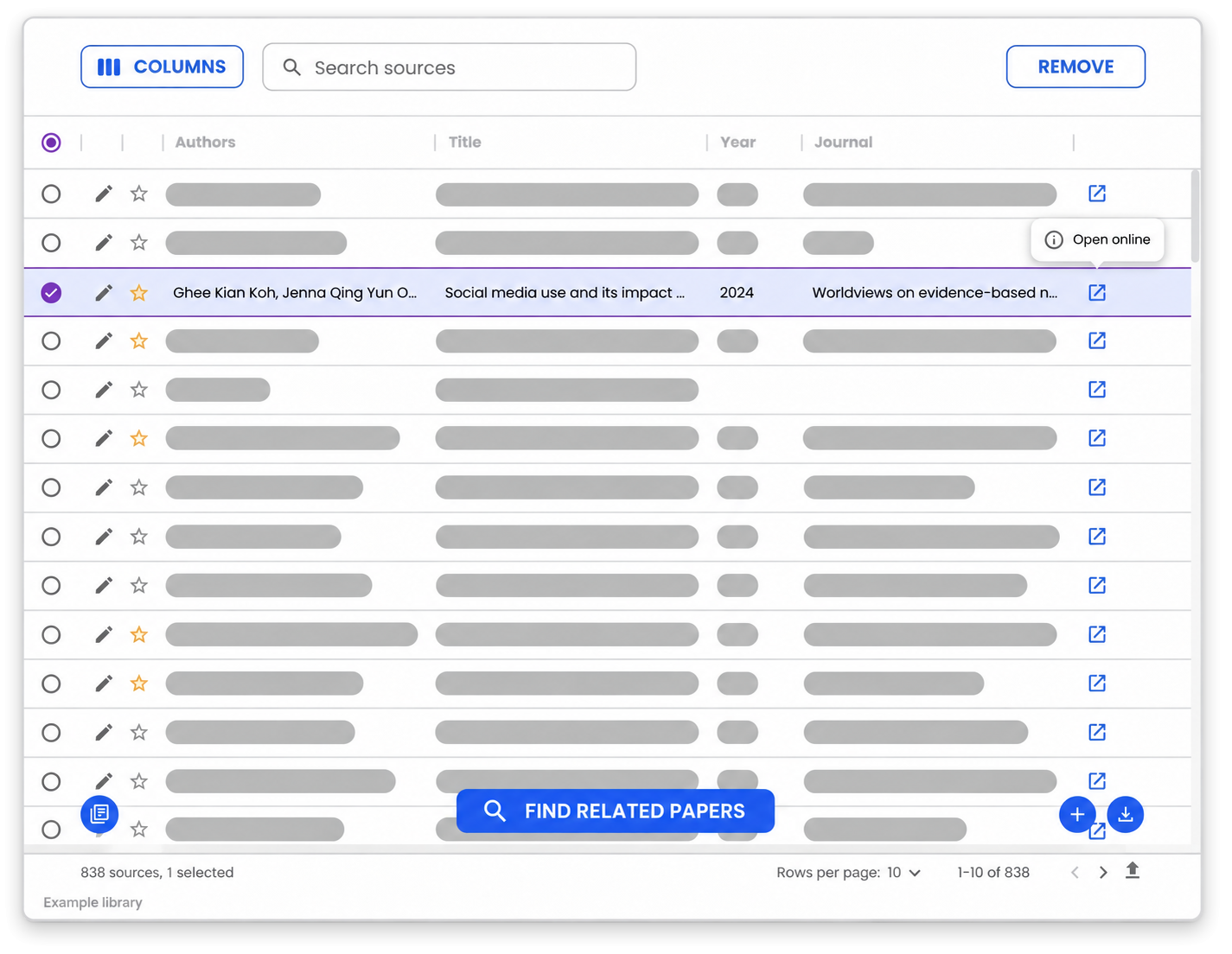
- Search and organize your sources
- Explore related papers
- Review available source information
- Create citations in common styles
- For essays, theses and dissertations


 Used by more than 70,000 students
Join more than 70,000 students using Mimir Mentor


4.7 out of 5 stars (49)
Ready to find your next source?
Find relevant academic literature
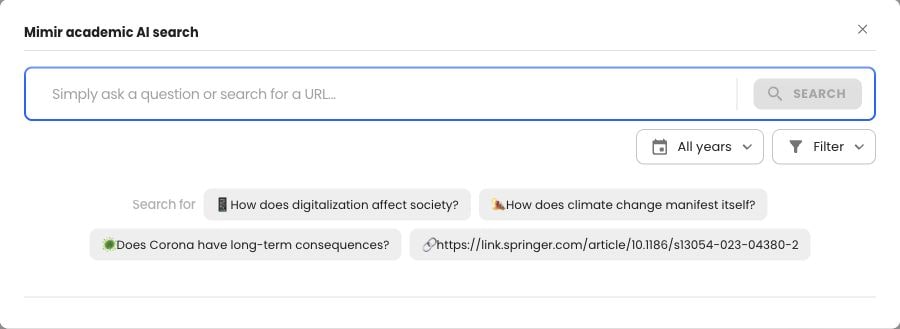
Start with a question, not a perfect search string
Search by topic, research question, paper title or DOI. For example, narrow “social media” to “social media use and adolescent sleep quality”. Refine the keywords as you read; the example is a search query, not a claim about the evidence.
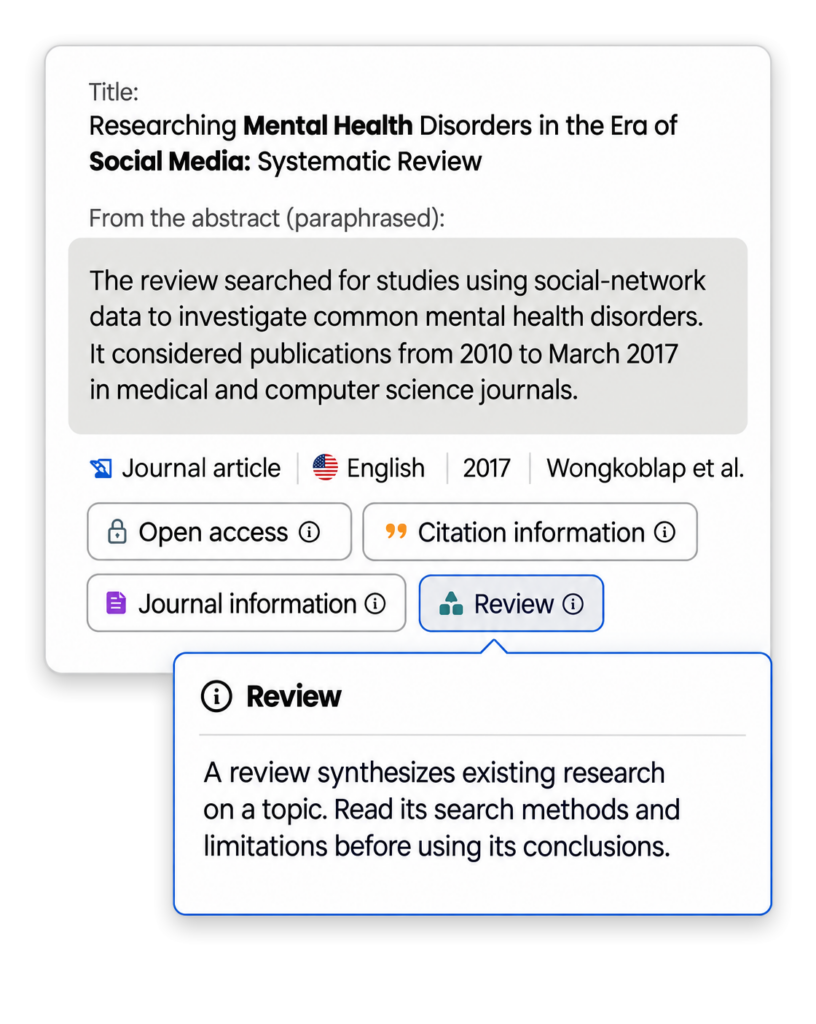
Look beyond the title
Use abstracts and available publication information to assess relevance. Open-access status and citation counts add context, but neither proves methodological quality. Read the paper before relying on it.
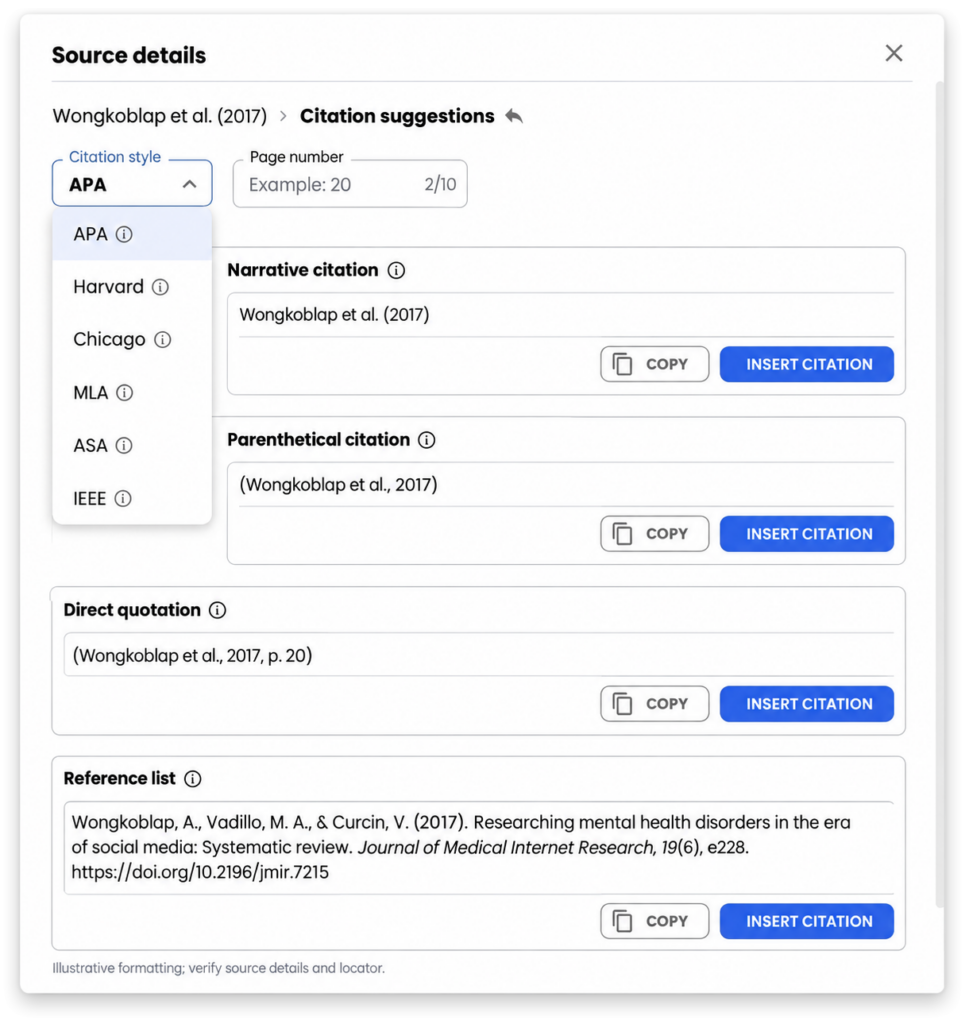
Turn verified source details into a citation
Generate references in common styles, then check the metadata and your department’s requirements. A formatted citation still needs the right authors, year, title and source.
Build a source collection you can work with.
Build a library you can actually use
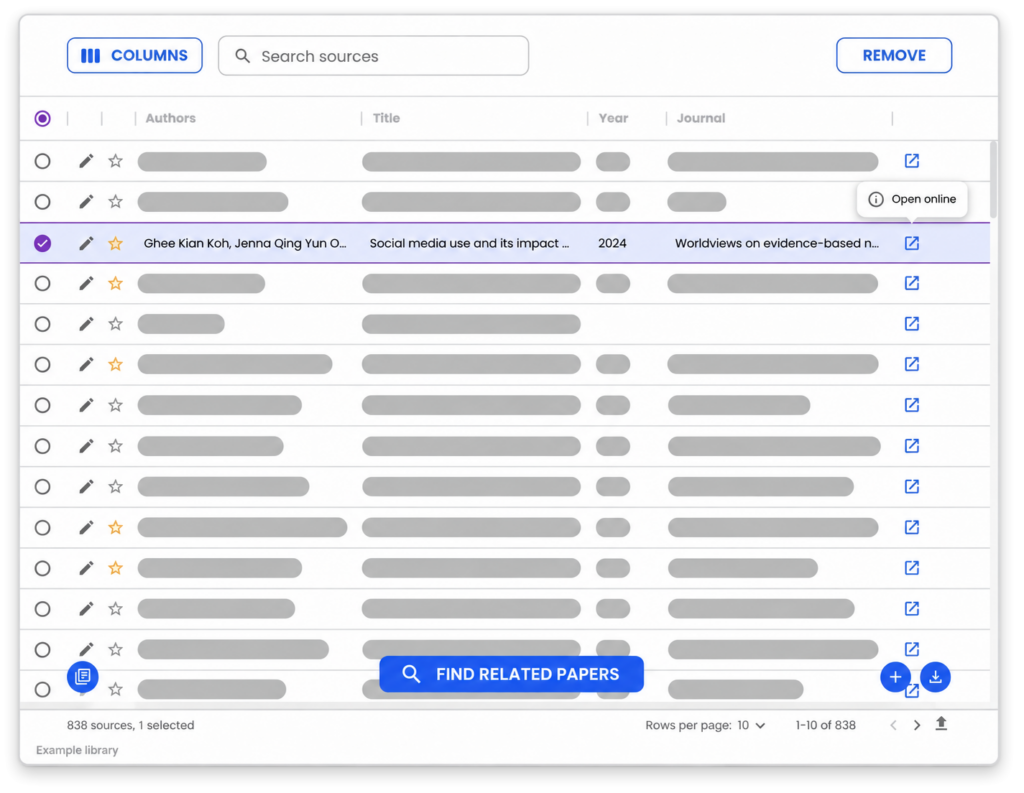
Keep your sources in one place
Save useful papers as you search. As you read, note each study’s question, method, main finding and limitations. A focused collection makes it easier to compare evidence and return to the source behind a paragraph.
Work with the tools you already use
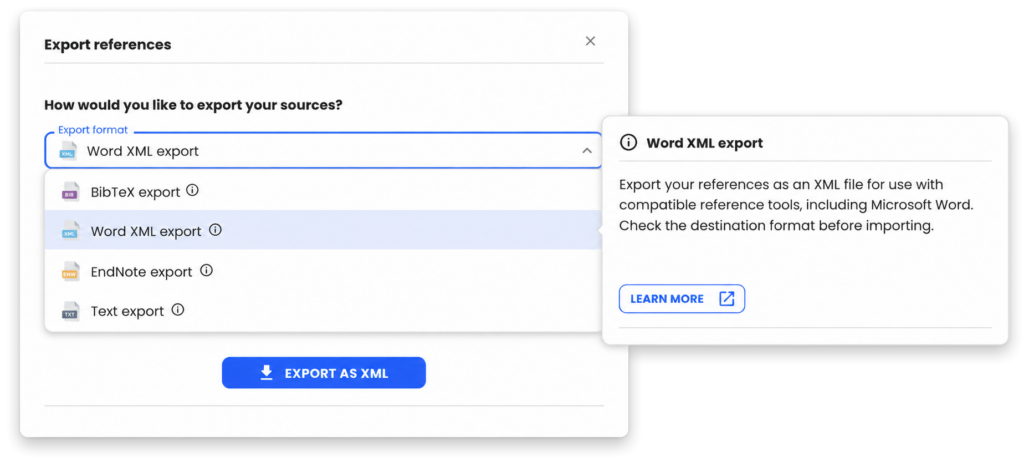
Import and export references in supported formats including BibTeX, Word XML and EndNote XML. Check the destination tool’s import settings so author names and other fields transfer correctly.
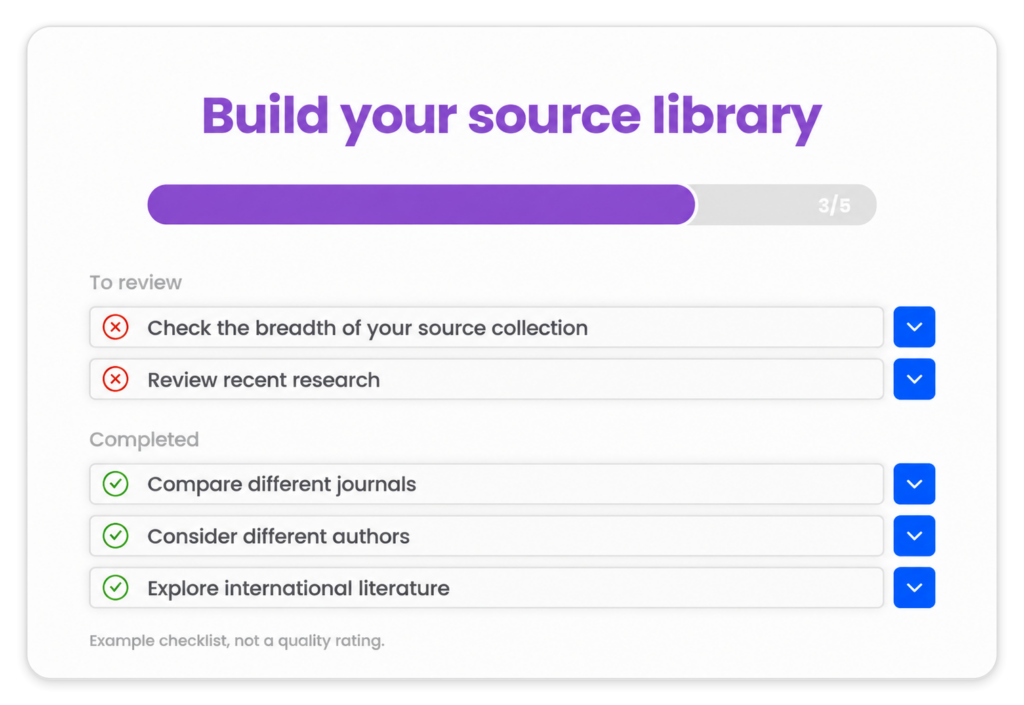
Explore what your collection may be missing
Use related-paper suggestions to investigate other perspectives. A suggestion can reveal a gap in your current collection; it cannot prove that you have found an original research gap or completed an exhaustive search.
Research support from your first essay onward

Your first steps in source work
Learn to move from a broad topic to a traceable academic source. Read what you cite and follow the reference style set by your teacher.

Support for your literature review
Build a source collection for an essay, thesis or dissertation. Connect each source to the question it helps answer rather than collecting references for their own sake.

More time for research
Discover adjacent work and manage references alongside your writing. For systematic research, use the databases, search documentation and screening process required by your field.

Finding and assessing sources
Mimir helps you discover academic sources, inspect available source information, save references and generate citations. It supports the workflow; selecting evidence and evaluating research remain your responsibility.
Use it as a supplementary discovery and organization tool, not the only search source. Keep your protocol, database names, search strings and dates, and inclusion and exclusion criteria. AI suggestions do not establish exhaustive coverage or replace screening and critical appraisal.
Yes. The editor can search for literature related to a selected statement. Similar subject matter is not enough: read the original and confirm that it supports the exact claim before citing it.
Start with relevance, study design, publication context and the actual evidence. Abstracts, citation counts and open-access information help you orient yourself, but are not stand-alone quality ratings.
Related-paper suggestions can broaden your search and reveal missing perspectives in your collection. Establishing a genuine research gap requires a critical synthesis of the literature, not just a recommendation from a tool.
You can phrase your search in English, German or French. Results depend on the topic and available publication records. Search in the terminology used by researchers in your field, which often includes English keywords.
Essays, theses and literature reviews
Yes. Use it to discover and organize sources for essays, theses and dissertations. Follow your institution’s rules for AI assistance and verify every source included in your final work.
Keeping discovery, reference management and writing connected can reduce repetitive work. You still need to read, compare methods, assess disagreements and synthesize the evidence yourself.
Look for traceable sources, useful search controls, clear source information and export options. The key question is whether you can verify and use the evidence, not simply how many references a tool returns.
Mimir combines source discovery and reference management with writing tools. You can use it alongside academic search engines, specialist databases and your institution’s library. Cross-check important or missing evidence rather than relying on one source of results.
Reference management and citations
Yes. Save and organize references in your personal source library so you can return to them while writing and prepare a bibliography from verified records.
Supported reference workflows include BibTeX, Word XML and EndNote XML. Check the direction and format offered in the app, choose one your destination accepts, and inspect the transferred author, title, year and DOI fields.
Mimir offers common styles including APA, Harvard, Chicago, MLA, ASA and IEEE. Some institutions use local variants. Check both the selected style and the underlying source metadata.
Free access and privacy
Yes. You can start with free access within its current usage limits. Check the app and plans for additional features and allowances.
Your source library is stored in your account for use across sessions. Export references you need elsewhere. Our privacy policy explains personal-data processing and deletion.